
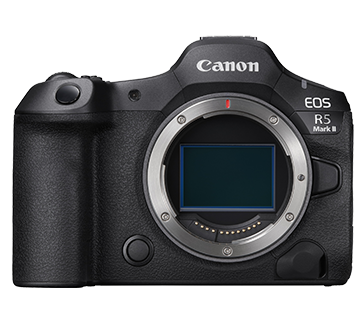
Firmware RC-IP1000 Ver. 1.3.1
Saya telah membaca dan memahami disclaimer di bawah, dan ingin mengunduh perangkat lunak yang ditunjuk.
Informasi Perangkat Lunak
Informasi Perangkat Lunak
Sistem Operasi
Bahasa
Detail
Firmware Version 1.3.1 incorporates the following enhancements:
1. Improved Stream Deck connectivity.
Refer to the RC-IP1000 Settings Guide for instructions on updating the firmware.
<Firmware file>
- rcip1000-v131.rom
The firmware contains software modules developed by third parties.
For details and license conditions for each module, see ReadMe-E.txt in the downloaded file and rcip1000-ossinfo.pdf in the "ThirdPartySoftware" folder in the "LICENSE" folder.
Update Riwayat
Ver. 1.3.0
1. Adds support for the latest firmware versions of compatible Remote Cameras.
CR-N700 (Ver. 1.7.0), CR-N500 (Ver. 1.8.0), CR-N400 (Ver. 1.1.0), CR-N350 (Ver. 1.1.0), CR-N300 (Ver. 1.8.0), CR-N100 (Ver. 1.3.0), and CR-X300 (Ver. 1.5.0).
2. Adds support for the latest versions of Add-on Applications. Auto Tracking Application RA-AT001 (Ver. 1.4.0) and Auto Loop Application RA-AL001 (Ver. 1.2.2).
3. Adds support for EOS C50 (Ver. 1.0.4.1).
4. Adds support for Standard Communication (Serial).
5. Expands the functions available through Elgato Stream Deck integration.
- Preset selection
- Auto Tracking Application launch
- Auto Tracking start/stop
- Auto Loop Application launch
- Trace function
- Camera Select Link Mode
6. Expands Voice Control settings.
7. Expands the PT Curve adjustment range. Enables faster pan and tilt movement response at the start of operation.
8. Adds display support for the Auto Exposure Ramping Compensation function.
- When a CINE-SERVO Lens (EF/RF) is attached to the EOS C400, the camera automatically compensates for light loss during zoom operation. RC-IP1000 can display the compensation value separately from the total value (configured value + compensation value).
9. Adds a user interface for regulatory compliance.
10. Enables selection of the video display aspect ratio.
11. Adds support for the Capture Mode function. Existing [Custom Picture] settings can now be selected from [Capture Mode].
12. Fixes minor issues to improve overall stability and performance.
Ver. 1.2.1
1. Improves system stability during high-frequency operations.
Ver. 1.2.0
1. Adds support for the following latest versions of remote PTZ camera's firmware: CR-N700 (Ver. 1.6.0), CR-N500 (Ver. 1.7.0), CR-N300 (Ver. 1.7.0), CR-N100 (Ver. 1.2.0),
CR-X300 (Ver. 1.4.0)
2. Adds support for the following latest version of add-on applications: Auto Tracking Application RA-AT001 (Ver. 1.3.0)
3. Adds support for the EOS C80.
4. Enables the ability to START / STOP add-on applications and control their auto-start ON / OFF.
5. Adds the ability to register a preset by pressing and holding the PRESET Select Button on the touch panel.
6. Adds a new layout to the Preset List.
7. Adds the ability to select ON / OFF for IP video reception.
8. Enables assigning external output video switching to the USER button.
9. Enables camera number selection using Elgato Stream Deck even when the main unit is in [PRESET / GROUP] mode.
10. Enables control of cameras with the same IP address within a camera group by distinguishing them using port numbers.
11. Adds a setting to disable user authentication for the XC protocol communication server function.
12. Adds an ExCAM operation UI.
13. Adds the ability to Enable / Disable High Bit Rate Streaming for RTP.
Ver. 1.1.1
1. Fixes an issue, in which when operating dials or buttons while the PICTURE screen is being displayed, the display may get corrupted.
Ver. 1.1.0
1. Adds support for the latest remote PTZ camera's firmware.
CR-N700 (Ver. 1.4.0), CR-N500 (Ver. 1.5.0), CR-N300 (Ver. 1.5.0), CR-N100 (Ver. 1.1.0), CR-X300 (Ver. 1.3.0)
2. Adds support for the latest version of add-on applications.
Auto Tracking Application RA-AT001 (Ver. 1.2.2), Auto Loop Application RA-AL001 (Ver. 1.2.0).
3. Adds support for EOS C400.
4. Adds support for the latest video camera's firmware.
EOS C500 Mark II (Ver. 1.1.2.1), EOS C300 Mark III (Ver. 1.0.8.1), EOS C70 (Ver. 1.0.9.1), XF605 (Ver. 1.0.4.1)
5. Adds function for preset/ trace thumbnail display.
6. Enables the ability to output [IP Multi View] and [Preset/ Trace List] to SDI and HDMI.
7. Adds functions of touch operation for switching target of auto tracking and moving silhouette position.
8. Adds function for focus guide display during manual focus.
9. Adds function for Shooting Information Display on PICTURE Screen.
10. Adds function for Assist settings (Waveform Monitor display, Vectorscope display, Marker display).
11. Adds new function "Touch Function" on the PICTURE screen.
12. Adds functions for copying camera settings and backup/ restore.
13. Adds support for Elgato Stream Deck.
14. Adds support for XC protocol control from external devices.
15. Adds new function "ExCAM".
16. Changes the setting when assigning Zoom to F5 dial.
- Turn clockwise: Zoom in
- Turn counterclockwise: Zoom out
17. Changes the upper limits of [LCD Brightness] to 10 and [LED Brightness] to 7 when [LCD/ LED Bright. Restrict.] is selected in [PoE+ Restrictions].
18. Adds [Disable Front USB] to [PoE+ Restrictions].
19. Adds [Chinese] to selectable languages.
Ver. 1.0.1
1. Fixes an issue where the RC-IP1000 may not start depending on the PoE power sourcing equipment.
Persyaratan Sistem
Windows 11
macOS 26
Peringatan
Do not turn off the power to the controller while performing the firmware update.
Update the camera, application, controller to the latest firmware.
For versions 1.0.0 through 1.1.1, please update the firmware to version 1.2.1 before updating to version 1.3.1.
Instruksi Pengaturan
1. Download the file to any folder.
2. Extract files from a compressed file (ZIP file).
3. For further instructions, refer to the RC-IP1000 Settings Guide for instructions on updating the firmware.
Informasi File
- Nama File : rcip1000-v131.zip
- Versi File : 1.3.1
- Tipe File : zip
- Bahasa File : EN,ZH,JA
- Ukuran File : 45.33 MB
Disclaimer
Semua perangkat lunak, program (termasuk namun tidak terbatas pada driver), file, dokumen, manual, instruksi, atau materi lainnya (secara bersama-sama disebut "Konten") tersedia di situs ini atas dasar "sebagaimana adanya".
Canon Singapore Pte. Ltd., dan perusahaan afiliasinya (“Canon”) tidak memberikan jaminan dalam bentuk apa pun sehubungan dengan Konten, secara tegas menyangkal semua jaminan, tersurat maupun tersirat (termasuk, tanpa batasan, jaminan tersirat tentang dapat diperjualbelikan, kesesuaian untuk tujuan tertentu dan non-pelanggaran) dan tidak bertanggung jawab untuk memperbarui, mengoreksi, atau memberikan dukungan Konten.
Canon memiliki semua hak milik, kepemilikan, dan hak kekayaan intelektual yang relevan dalam Konten. Anda dapat mengunduh dan menggunakan Konten hanya untuk penggunaan pribadi, non-komersial, dan dengan risiko Anda sendiri. Canon tidak bertanggung jawab atas kerusakan apa pun sehubungan dengan Konten, (termasuk, tidak terbatas untuk kerusakan tidak langsung, sebagian, ganti rugi atau kerusakan tidak disengaja).
Anda tidak boleh mendistribusikan, menetapkan, melisensikan, menjual, menyewakan, menyiarkan, mentransmisikan, menerbitkan, atau mentransfer Konten ke pihak lain mana pun. Anda juga tidak boleh (dan tidak akan membiarkan orang lain) mereproduksi, memodifikasi, memformat ulang, membongkar, mendekompilasi, atau merekayasa balik atau membuat karya turunan dari Konten, secara keseluruhan atau sebagian.
Anda setuju untuk tidak mengirim atau membawa Konten keluar dari negara/wilayah tempat Anda awalnya memperolehnya ke negara/wilayah lain tanpa izin yang diperlukan dari pemerintah yang berlaku dan/atau melanggar undang-undang, batasan, dan peraturan yang berlaku.
Dengan melanjutkan mengunduh Konten, Anda setuju untuk terikat oleh hal di atas serta semua hukum dan peraturan yang berlaku untuk pengunduhan dan penggunaan Konten oleh Anda.