








Checking the MAC Address of the Network Board
Solusi
There are three methods for checking the MAC address of the network board.
The MAC address is indicated at (A) on the network board as shown in the following figure.
 For NB-C2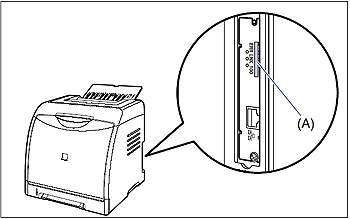
* LBP5100 is taken as the example.
For NB-C1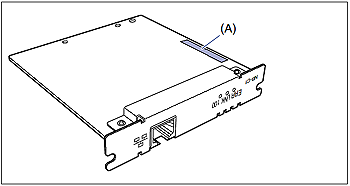
The MAC address is indicated at (A) on Network Status Print as shown in the following figure.
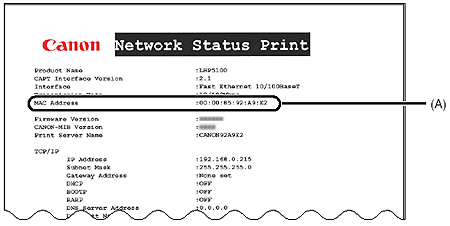
NOTE
For details on the procedure for printing Network Status Print, see [Checking the Operations with Network Status Print].
The MAC address is indicated at (A) in the [Network] page in [Device Manager] as shown in the following figure.
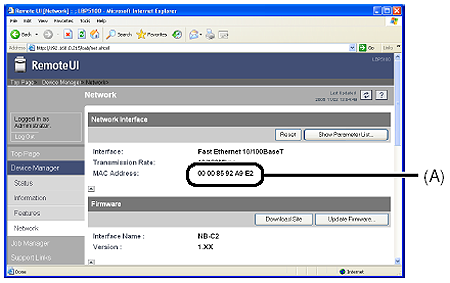
NOTE
For details on the Remote UI, see "Remote UI Guide" in the CD-ROM supplied with the printer.