








Setting the Self-Timer (Changing the Delay Time and Number of Shots)
Solusi
If using the [Custom Timer], you can set the delay time and number of shots freely.
CAUTION
- As the actual locations of buttons / switches on cameras vary depending on the camera model, the illustrations that appear on this page may differ from your camera.
- Screens or menu listings may differ depending on the camera model being used.
- The following explanations are provided based on the assumption that the [Shooting Mode] is set to [Program AE] (
 ).
).
1. Press the <Power> button on the camera.

2. Press the <Self-Timer> ( ) button.
) button.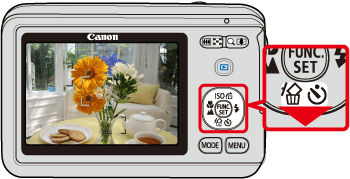
3. The following screen will appear in the LCD screen.

 Operate the <directional buttons> up or down to select the [Custom Timer] (
 ).
). Make sure that [Custom Timer] is displayed.
 With [Settings...] displayed, press the <MENU> (
 ) button.
4. The following screen is displayed on the LCD monitor. Set the delay time to shoot after the <shutter button> is pressed to five seconds, and the shooting number to one.
 Operate the <directional buttons> to set the [Delay] to [5-seconds]. (Maximum 30 seconds) Operate the <directional buttons> to set the [Shots] to [1-shots]. (Maximum 10 shots)
After the settings are completed, press the <FUNC./SET> ( ) button.
) button.5. If the following icon appears on the LCD monitor*, this setting is completed.
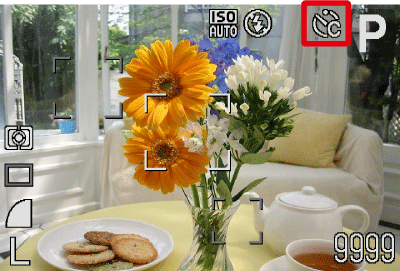
* The icon display location differs depending on the model being used.