








Changing the Aspect Ratio
Solusi
You can change the width to height ratio of an image.
IMPORTANT
- The following explanations are provided based on the assumption that the [Shooting Mode] is set to [Program] (
 ).
). - In the following shooting modes, you cannot set the [Aspect Ratio].
- [Movie Digest] ( ), [Hi-Speed Burst] (
 ), [Smooth Skin)] (
 ), [Handheld Night Scene] (
 ), [Low Light] (
 ), [Fish-eye Effect] (
 ), [Toy Camera Effect] (
 ), [Soft Focus Effect] (
 ), [iFrame Movie] (
 ), [Super Slow Motion Moive] (
 )
)
), [Hi-Speed Burst] (), [Smooth Skin)] (), [Handheld Night Scene] (), [Low Light] (), [Fish-eye Effect] (), [Toy Camera Effect] (), [Soft Focus Effect] (), [iFrame Movie] (), [Super Slow Motion Moive] ()- The position and shape of the operation buttons, screens displayed, and setting items may differ according to the model you use.
1. Press the <Power> button of the camera.
If you are using the PowerShot ELPH 320 HS / IXUS 240 HS / IXUS 245 HS, set the <Mode Switch> to [Shooting] ( ).
).
).2. The following window appears.
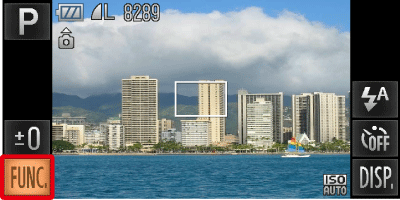
Touch [FUNC.] ( ) on the lower-left hand side of the screen.
) on the lower-left hand side of the screen.3. The following window appears.

 Drag up or down the menu on the left to choose [4:3].
 Touch an item you want to set.
Touch the menu item again to complete the setting.
| Aspect Ratio | |
|---|---|
 | The same aspect ratio as the screen of this camera, used for displaying on widescreen HD TVs. |
 | The same aspect ratio as 35mm film, used for printing out 5 x 7 in. or postcard sized images. |
 | The same aspect ratio as standard televisions, used for printing images on 3.5 x 5 in. to various A-sized papers. |
 | A square-shaped aspect ratio. |
NOTE
- The digital zoom and digital tele-converter are only available in the () aspect ratio since [Digital Zoom] is fixed to [Off].
- In [Miniature Effect] (
 ) mode, only () or () aspect ratio can be selected.
REFERENCE
- For full-screen display, choose (). However, note that printing shots taken in this aspect ratio at 3.5 x 5 in. or A-series sizes may leave blank borders, or some image areas may not be printed.