








Shooting in Monochrome (PowerShot SX60 HS)
Solusi
The procedure for shooting in monochrome is explained below.
1. Set the camera's mode dial to [Creative Filters] ( ) mode, and press the power button.
) mode, and press the power button.
2. Press the <FUNC./SET> ( ) button.
) button.3. Press the < ><
>< > buttons to choose [Shooting Mode]. (If the settings have not been changed [
  ] will be displayed.)
><> buttons to choose [Shooting Mode]. (If the settings have not been changed [ ] will be displayed.)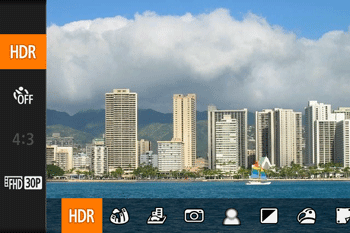

4. Press the <><> buttons to choose [Monochrome] ( ), and then press the <FUNC./SET> ( ) button.
><> buttons to choose [Monochrome] (), and then press the <FUNC./SET> ( ) button.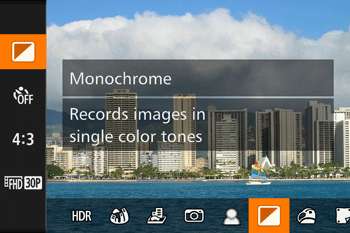
5. Turn the < > dial to choose a color tone,
> dial to choose a color tone,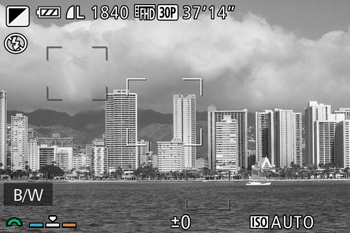
A preview is shown of how your shot will look with the effect applied.
Selectable color tones are listed in the table below.
| B/W | Black and white shots. |
| Sepia | Sepia tone shots. |
| Blue | Blue and white shots. |
6. Shoot.
This concludes the explanation for shooting in monochrome.