








Delayed Sending
Solusi
Delayed sending enables you to start transmission at a specified time. You can combine other fax features with delayed sending.
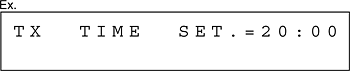
5. Use the numeric keys, one-touch speed dialing keys, coded speed dialing codes, or [Address Book] key to enter a destination, then press [OK].
You can use the following features to send a fax by pressing [Add. Mode].
- <BROADCAST>: Sends the same document to multiple recipients at once. For details, see Broadcasting.
- <POLLING RX>: Retrieve documents stored in remote machines for polling. For details, see Polling.
- <RELAY>: Sends a document to be relayed to other recipients. For details, see Relay.