








ISO 100, H1, and H2 cannot be set (EOS 7D Mark II)
Solusi
If [  : Highlight tone priority] is set to [Enable], the settable ISO speed range will be ISO 200 - ISO 16000. Even if you expand the settable ISO speed range with [ISO speed range], you cannot select the H1 (equivalent to ISO 25600) or H2 (equivalent to ISO 51200).
: Highlight tone priority] is set to [Enable], the settable ISO speed range will be ISO 200 - ISO 16000. Even if you expand the settable ISO speed range with [ISO speed range], you cannot select the H1 (equivalent to ISO 25600) or H2 (equivalent to ISO 51200).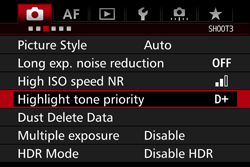
When [ : Highlight tone priority] is set to [Disable], ISO 100/125/ 160, H1, or H2 can be set.
: Highlight tone priority] is set to [Disable], ISO 100/125/ 160, H1, or H2 can be set.1. Set the camera's power switch to <ON>.
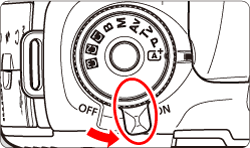
2. Set the Mode Dial to < P / Tv / Av / M / B>.

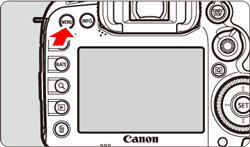
3. Press the <MENU> button to display the menu screen.
4. Press the < > button and select the [
  ] tab.
> button and select the [ ] tab.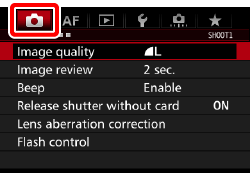
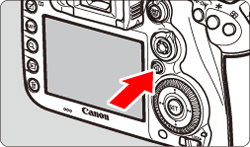
5. Turn the < > dial to select the [
  ] tab.
> dial to select the [ ] tab. 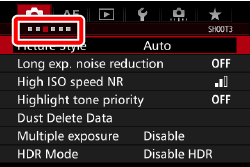
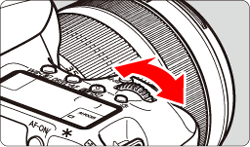
6. Turn the < > dial to select [Highlight tone priority], then press <
 >.
>.
> dial to select [Highlight tone priority], then press <>. 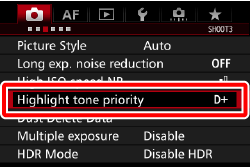
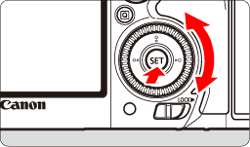
7. Turn the <> dial to select [Disable], then press <>.
> dial to select [Disable], then press <>. 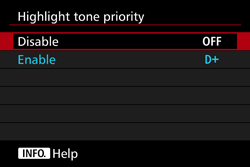
8. Pressing the shutter button half way will prepare the camera for shooting.
Check the viewfinder and the LCD panel to make sure that [D+] (visible when highlight tone priority is set) is not displayed.
IMPORTANT
- When [Enable] is set, noise may increase slightly.
- When [Enable] is set, the Auto Lighting Optimizer will be set automatically to [Disable].