








The built-in flash fires by itself (EOS 90D)
Solusi
To turn off auto flash for the built-in flash, change the flash setting to [ Off ].
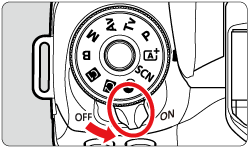
1. Set the camera's power switch to <ON>.
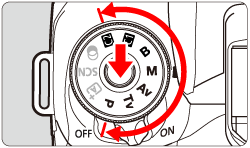
2. Turn the Mode dial to a Creative Zone.
3. Press the <  > button.
> button.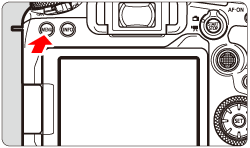
4. Press the <  > button to select the [
  ] tab.
> button to select the [ ] tab.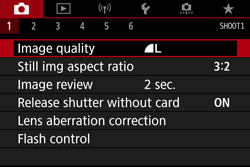

5. Turn the <  > dial to select the [
  ] tab.
> dial to select the [ ] tab. 
6. Turn the <  > dial to select [ Flash control ], then press <
  >.
>.
> dial to select [ Flash control ], then press < >.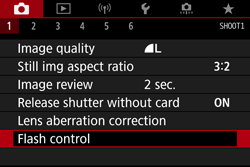
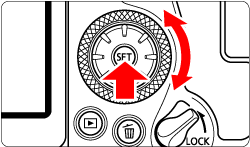
7. Turn the < > dial to select [ Flash firing ], then press < >.
> dial to select [ Flash firing ], then press < >.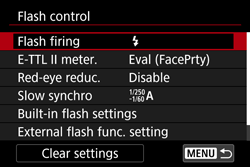
8. Turn the < > dial to select [  ], then press < >.
> dial to select [ ], then press < >.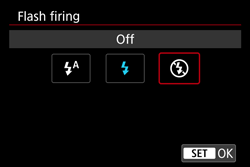
(When the shooting mode is set to <  >)
>)
>)