







Clean the Scanning Area of the machine
Solution
Keep the scanning area clean to avoid dirty copies or faxes to be sent. If your documents have black streaks or appear dirty after copying them using the ADF, this may be caused by pencil lead rubbling off the documents onto the roller. Clean the ADF scanning area and roller.
NOTE
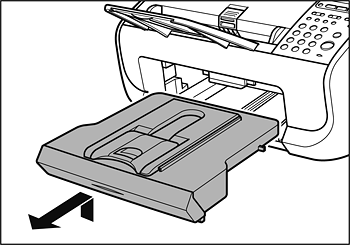
Make sure the back end of the cover does not catch the front paper guide.

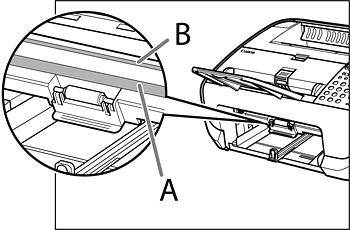
4. Gently wipe the scanning glass (A) and white sheet (B) with a clean, soft, lint-free cloth moistened with water.
NOTE
Do not dampen the cloth too much, as this may tear the document or damage the machine.

NOTE
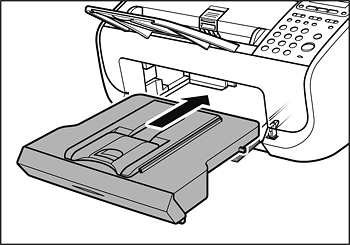
Make sure the back end of the cover does not catch and lower the scannning platform.