








Cleaning the Fixing Roller
Solution
If the printed paper has smudge marks, clean the fixing roller using the following procedure.
1. Load A4-size paper in the manual feed slot or paper cassette.
For details on the procedure for loading paper, see [Loading Paper in the Manual Feed Slot] or [Loading Paper in the Paper Cassette].
2. Display the Printer Status Window.
For details on methods for displaying the Printer Status Window, see [Displaying the Printer Status Window].
3. From the [Options] menu, select [Utility] > [Cleaning 1].

4. Click [OK].
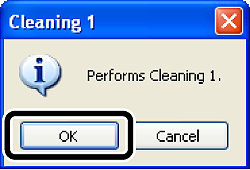
The message <Cleaning> appears in the Printer Status Window, and the printer starts cleaning the fixing roller.
When the paper is output, and the message is cleared, the cleaning is completed.
NOTE
- Cleaning takes approximately 80 seconds.
- The cleaning process cannot be canceled. Please wait until it is completed.