








Resizing Images (PowerShot G3 X)
Solution
The procedure for saving a copy of images at a lower number of recording pixels is explained below.
1. Press the [  ] button to enter Playback mode.
] button to enter Playback mode.2. Press the [  ], [
], [  ] buttons or turn the [
  ] dial to select the desired image, and then press [
  ].
].
], [ ] buttons or turn the [ ] dial to select the desired image, and then press [ ].

Press the [  ], [
], [  ] buttons to choose [
  ] from the menu, Press the [ ], [ ] buttons to choose the size, and then press the [ ] button.
], [ ] buttons to choose [ ] from the menu, Press the [ ], [ ] buttons to choose the size, and then press the [ ] button.NOTE
Images cannot be resized to a higher number of recording pixels.
3. Choose [OK], and then press the [  ] button.
] button.The image is now saved as a new file.
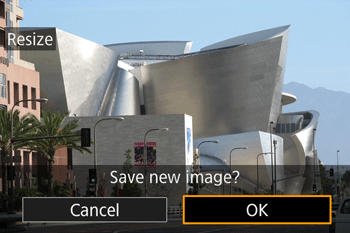
4. Confirm the image.
Choose [Yes], and then press the [ ] button.
] button.
The saved image is now displayed.
IMPORTANT
- Editing is not possible for images shot at a recording pixel setting of [
 ].
]. - RAW images cannot be edited.
This completes the steps for shrinking an image`s resolution and saving it as a new image.