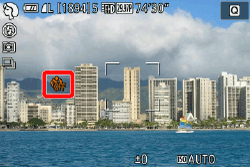
A photo is not shot immediately after the shutter button is pressed (there is a delay before the photo is taken) (EOS M3)
Solution
Is the camera set to self-timer shooting?
With self-timer shooting on, even if you press the shutter button, the photograph will not be shot immediately.
Turn self-timer shooting off using the procedure below.
1. Turn the camera on.

2. Press the [  ] button.
] button.
Press the [  ], [
], [  ] to select [Self-timer/Remote ctrl].
], [ ] to select [Self-timer/Remote ctrl].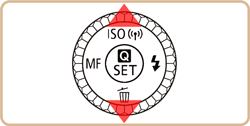
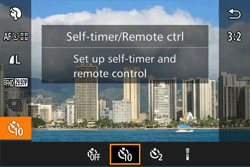
3. Press the [  ], [
], [  ] buttons or turn the [
  ] dial or [
  ] dial to select [Self-timer-Off](
 ), and then press the [ ] button.
], [ ] buttons or turn the [ ] dial or [ ] dial to select [Self-timer-Off](), and then press the [ ] button.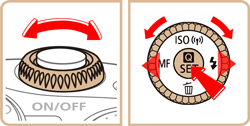

Self-timer shooting is turned off.